Python

P
PythonHub
Progress 0%

Python

  • Home
  • History of Python
  • Applications of Python
  • Introduction To Python
    • What is Python
    • Character Set
    • Tokens in Python
    • Python Execution Mode
    • Variable And Identifiers
    • Data Types in Python
    • Operators And Expressions
    • Constants in Python
    • Assignment Statement
    • Input / Output in Python
    • Simple Python Scripts
    • Namespace in Python
    • šŸ“ Assignments
  • Operators in Python
    • Arithmetic Operators
    • Assignment Operators
    • Shorthand Assignment Operators
    • Relational Operators
    • Logical Operators
    • Bitwise Operators
    • Special Operators
    • šŸ“ Assignments
  • Input Output in Python
    • Accept Input
    • Output Formatting
    • šŸ“ Assignments
  • Conditional Statement
    • Decision Making
    • if Statement
    • IF-ELSE STATEMENT
    • IF-ELSE LADDER
    • NESTED IF-ELSE
    • Short Hand IF-ELSE
    • šŸ“ Assignments
  • Loops
    • Introduction to Loops
    • While Loop
    • Nested While Loop
    • šŸ“ While Loop Assignments
    • For Loop
    • For Loop Examples
    • Nested For Loop
    • Nested For Loop Examples
    • Infinite While Loops
    • Infinite For Loops
    • Break, Continue and Else in Loops
    • Difference Between For and While Loop
    • For Each Loop
    • šŸ“ For Each Assignments
    • šŸ“ All Loops Assignments
  • List
    • List in Python
    • Access List Elements
    • List Functions
    • Iterate (Loop) List
    • List Comprehension
    • šŸ“ Assignments
  • Tuple
    • Tuple in Python
    • Access Tuple Elements
    • Tuple Functions
    • Iterate (Loop) Tuple
    • Unpack Tuple
    • Tuple Comprehension
    • šŸ“ Assignments
  • Set
    • Set in Python
    • Access Set Elements
    • Set Methods
    • Iterate (Loop) Set
    • Pack/Unpack Set
    • Set Comprehension
    • šŸ“ Assignments
  • Dictionary
    • Dictionary
    • Access Dictionary Items
    • Dictionary Methods
    • Iterate (Loop) Dictionary
    • Formatting Dictionaries
    • Nested Dictionaries
    • Dictionary Comprehension
    • šŸ“ Assignments
  • Diff List Tuple Set Dictionary
    • List vs Tuple
    • List vs Set
    • List vs Dictionary
    • Tuple vs Set
    • Tuple vs Dictionary
    • Dictionary vs Set
    • šŸ“ Assignments
  • Exception
    • Error vs Exception
    • Exception Handling
    • Types of Exception
    • User Defined Exception
    • Logging Exception
    • šŸ“ Assignments
  • Functions
    • Introduction to Functions
    • Modular Programming
    • Types of Functions
    • Inbuilt Functions
    • Need For User-Defined Function
    • Elements of User Defined Function
    • Function Arguments
    • Nesting of Functions
    • Recursion
    • Global Local and Non Local
    • Python Lambda Functions
    • šŸ“ Assignments
  • Python Module
    • Introduction to Module
    • Inbuilt Modules in Python
    • User Defined Module
    • šŸ“ Assignments
  • File Handling
    • Introduction to Files
    • Create File
    • Read Files
    • Write to File
    • Rename File
    • Copy File
    • Move File
    • List Files in Directory
    • Binary Files
    • Zipping and Unzipping Files
    • šŸ“ Assignments
  • Strings
    • Basics of Strings
    • String Special Operators
    • String Formatting Operators
    • String Methods
    • šŸ“ Assignments
  • Regular Expressions
  • Python OOPS
    • Basics of Object Oriented
    • What are Classes and Objects?
    • Creating Class and Object
    • OOP vs Procedural Programming
    • Difference Between Classes and Objects
    • Constructors
    • Destructor
    • Built Class Methods and Attributes
    • Class and Instance Variables
    • Inheritance in Python
    • Single Inheritance
    • Multiple Inheritance
    • Multilevel Inheritance
    • Hierarchical Inheritance
    • Hybrid Inheritance
    • Abstraction
    • Method Overriding
    • Abstract Method
    • Interfaces in Python
    • Abstract Class vs Interface
    • Public, Private and Protected
    • Overloading vs Overriding
    • Inheritance vs Composition
    • Encapsulation
    • Polymorphism
    • Inner Classes
    • šŸ“ Assignments
  • Advanced Python
    • Iterator in Python
    • Generator in Python
    • Decorator in Python
    • Type Hints in Python
    • Async/Await Programming
    • Dataclasses in Python
    • Context Managers in Python
    • Property Decorator in Python
    • __slots__ in Python
    • Enums in Python
    • Walrus Operator in Python
    • Match-Case in Python
    • šŸ“ Assignments
  • Python Standard Library
    • Collections Module
    • Itertools Module
    • Functools Module
    • Datetime Module
    • JSON Module
    • OS Module
    • Sys Module
    • Random Module
    • Math Module
    • šŸ“ Assignments
  • Python Testing
    • Unit Testing in Python
    • Pytest Framework
    • Mocking in Python
    • šŸ“ Assignments
  • Python Best Practices
    • PEP 8 Style Guide
    • Docstrings in Python
    • Logging in Python
    • Code Optimization Tips
    • Debugging Techniques
    • šŸ“ Assignments
  • MySQL Database in Python
    • Introduction to MySQL with Python
    • DBMS vs File System
    • Connecting to MySQL Database
    • Create Database in MySQL
    • Create Table in MySQL
    • Insert Data in MySQL
    • Insert Multiple Rows
    • Select Data from MySQL
    • WHERE Clause in MySQL
    • Update Data in MySQL
    • Delete Data from MySQL
    • Parameterized Queries
    • Transaction Management
    • Error Handling
    • Connection Pooling
    • MySQL Drivers Guide
    • Joins in MySQL
    • Aggregation Functions
    • Backup MySQL Database
    • Best Practices
    • šŸ“ Assignments
  • MySQL Database Operations
    • SELECT Statement
    • MySQL Operators
    • DDL Statements
    • DML Statements
    • Subqueries
    • JOIN Operations
    • Aggregation
    • Case Study
    • šŸ“ Assignments
  • Graphics in Python
  • Threads in Python
    • Introduction to Threads
    • Process vs Threads
    • Concurrent Programming & GIL
    • Uses of Threads
    • Creating Threads
    • Single Tasking
    • Multi Tasking
    • Thread Synchronization
    • šŸ“ Assignments
  • Interview Questions & Answers
  • Python Case Studies
  • Multiple Choice Questions
  • šŸ“ Practice Problems
Get in Touch
  • tech2dsm@gmail.com

© Sankalan Data Tech

Python Language Interactive Tutorial

šŸ“„ Python Input and Output (I/O): A Complete Guide

Python Input and Output - Complete Guide

Input and Output operations are how your Python program communicates with the outside world.

Created by Sankalan Data Tech Team Verified
Data Engineers, Analysts, Scientists & Trainers
We are a team of Python developers, data engineers and data scientists with years of real-world experience. We have built production applications. We have tackled complex problems. We have helped teams ship better code. What drives us? Teaching — especially that moment when things finally click. Our tutorials focus on practical examples and honest guidance. Whether you are just starting out or leveling up we are here to make Python genuinely useful.
šŸ“‘ On this page:
  • What is Input/Output?
  • The input() Function
  • Type Conversion with input()
  • The print() Function
  • Print Formatting
  • f-strings (Formatted Strings)
  • The format() Method
  • Escape Sequences
  • File Input/Output
  • Try It Yourself
  • Quick Quiz
  • FAQ
Share this tutorial:
Twitter LinkedIn Facebook WhatsApp Reddit Telegram Email Copy Link
šŸ“š What You'll Learn Here
  • What Input/Output is — how programs communicate with users
  • The input() function — accepting user input
  • Type conversion — converting input to different data types
  • The print() function — displaying output to users
  • Print formatting — controlling how output appears
  • f-strings — modern string formatting
  • Escape sequences — special characters in strings
  • File I/O — reading and writing files
  • Hands-on practice with the interactive editor

What is Input/Output in Python?

Input/Output (I/O) is how a program communicates with the outside world. In Python, input refers to data that comes from the user (via keyboard, files, or other sources), while output refers to data that the program sends out (to the console, files, or other destinations).

Think of a program like a conversation. The program asks questions (output), you respond (input), and the program processes your response and responds back (output). This interaction is the foundation of interactive programming.

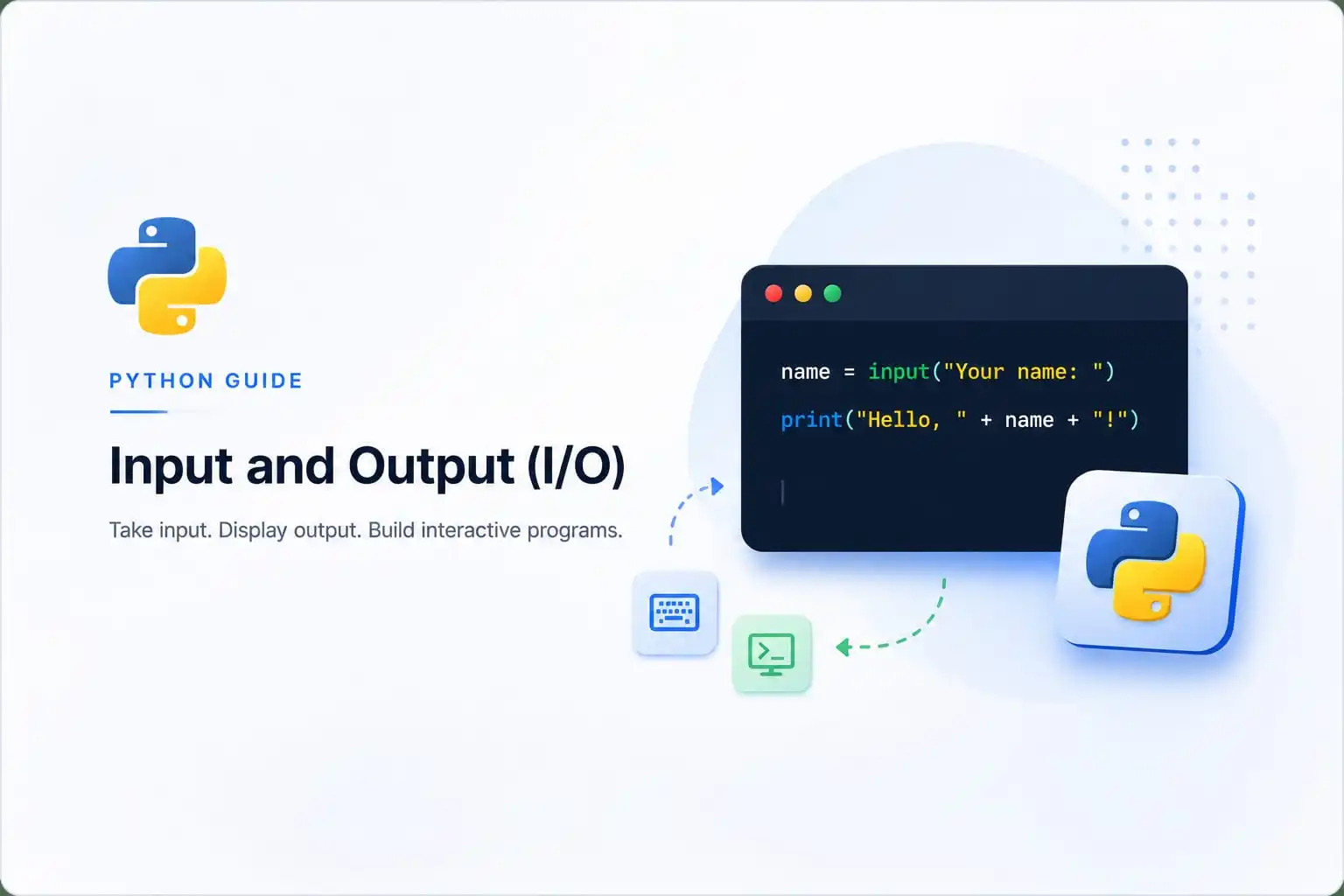
# Simple Input/Output Example
name = input("What's your name? ")  # Input
print("Hello, " + name + "!")       # Output

šŸ’” Key insight: Python has two built-in functions for basic I/O: input() for accepting user input and print() for displaying output. These are your program's "voice" and "ears."

1. The input() Function

The input() function is used to accept user input from the keyboard. It reads a line of text from the user and returns it as a string.

# Basic input() usage
name = input("What is your name? ")
print("Nice to meet you, " + name + "!")

# Output:
# What is your name? (user types: Alice)
# Nice to meet you, Alice!

āš ļø Important: The input() function always returns a string, even if the user enters a number. You must convert the data to the appropriate type using int(), float(), etc.

2. Type Conversion with input()

Since input() always returns a string, you need to convert it to the desired data type for numerical operations.

# Converting input to integer
age = int(input("Enter your age: "))
print("Next year you will be", age + 1)

# Converting input to float
price = float(input("Enter the price: "))
print("Price with 10% tax:", price * 1.10)

# Output:
# Enter your age: 25
# Next year you will be 26
# Enter the price: 50.50
# Price with 10% tax: 55.55
# Multiple inputs in one line
x, y = input("Enter two numbers: ").split()
x = int(x)
y = int(y)
print("Sum:", x + y)

# Output:
# Enter two numbers: 10 20
# Sum: 30

3. The print() Function

The print() function is used to display output to the console. It can accept multiple arguments and automatically adds a space between them.

# Basic print() usage
print("Hello, World!")

# Print with multiple arguments
print("The answer is", 42)

# Print with variables
name = "Python"
version = 3.12
print("Language:", name, "Version:", version)

# Output:
# Hello, World!
# The answer is 42
# Language: Python Version: 3.12

4. Print Formatting

Python provides several ways to format output. Let's explore the most common and modern approaches.

a. f-strings (Formatted String Literals)

f-strings are the most modern and recommended way to format strings in Python. They are introduced in Python 3.6 and are both readable and efficient.

# f-string examples
name = "Python"
version = 3.12
year = 2024

print(f"Language: {name}, Version: {version}, Year: {year}")

# With expressions
radius = 5
print(f"Area of circle: {3.14 * radius * radius:.2f}")

# Output:
# Language: Python, Version: 3.12, Year: 2024
# Area of circle: 78.50

b. The format() Method

The format() method is another way to format strings. It uses placeholders {} in the string and passes values to them.

# format() examples
name = "Python"
version = 3.12

print("Language: {}, Version: {}".format(name, version))

# Positional formatting
print("Name: {0}, Age: {1}".format("Alice", 25))

# Named formatting
print("Name: {name}, Age: {age}".format(name="Bob", age=30))

# Output:
# Language: Python, Version: 3.12
# Name: Alice, Age: 25
# Name: Bob, Age: 30

5. Escape Sequences

Escape sequences are special characters used to control how text is displayed. They begin with a backslash \.

\n

Newline

\t

Tab

\\

Backslash

\"

Double quote

\'

Single quote

\r

Carriage return

# Escape sequence examples
print("Line 1\nLine 2")
print("Column 1\tColumn 2")
print("She said, \"Hello!\"")
print("Path: C:\\Users\\Documents")

# Output:
# Line 1
# Line 2
# Column 1    Column 2
# She said, "Hello!"
# Path: C:\Users\Documents

6. File Input/Output

Python can read from and write to files using the open() function. This allows you to store data permanently.

# Writing to a file
with open("example.txt", "w") as file:
    file.write("Hello, Python!\n")
    file.write("This is a second line.")

# Reading from a file
with open("example.txt", "r") as file:
    content = file.read()
    print(content)

# Output:
# Hello, Python!
# This is a second line.

# Reading line by line
with open("example.txt", "r") as file:
    for line in file:
        print(line.strip())

# Output:
# Hello, Python!
# This is a second line.

Try It Yourself!

Experiment with input and output directly in your browser. Modify the code and see the results in real time.

Loading Pyodide... 0%
Python Code Editor
========================================
BASIC INPUT/OUTPUT
========================================
What's your name? (user types: Alice)
Hello, Alice! Nice to meet you!

========================================
TYPE CONVERSION
========================================
Enter your age: 25
Next year you will be 26
Enter a price: 50.50
Price with 10% tax: 55.55

========================================
PRINT FORMATTING
========================================
Language: Python
Version: 3.12
Area of circle (r=7): 153.86

========================================
ESCAPE SEQUENCES
========================================
Line 1\nLine 2: shows newline
Column 1\tColumn 2: shows tab

āœ… Explore different I/O operations!
šŸ†

šŸŽ‰ You've Mastered Python Input/Output!

You understand input(), print(), type conversion, f-strings, formatting, escape sequences, and file I/O. These are essential skills for interactive Python programs.

Quick Quiz – Test Your Knowledge

Let's see what you've learned about Python Input/Output:

1. What does the input() function always return?
2. Which of the following is the modern recommended way to format strings in Python?
3. Which escape sequence creates a new line in Python?

Frequently Asked Questions

šŸ¤” What's the difference between print() and return? ā–¼

print() displays output to the console, while return sends a value back from a function. print() is for user communication; return is for function communication.

šŸ”§ How do I prevent print() from adding a new line? ā–¼

Use the end parameter: print("Hello", end="") or print("Hello", end=" ") to add a space instead of a newline.

šŸ“‚ What does the with statement do in file I/O? ā–¼

The with statement automatically closes the file when the block is exited. It's the recommended way to work with files because it handles cleanup even if an error occurs.

šŸ“Š What's the difference between f-strings and format()? ā–¼

f-strings are more readable and efficient. They allow you to embed expressions directly in the string. format() is older but still widely used. f-strings are recommended for Python 3.6+.

šŸ“š Where to Go From Here

Now that you understand Python Input/Output, here are some related topics to explore:

āŒØļø Accept Input

Deep dive into the input() function

šŸ“¤ Output Formatting

Master print() and formatting

šŸ“ File Handling

Learn advanced file operations

šŸ“– Related Tutorials
  • Accept Input in Python
  • Output Formatting in Python
  • Assignment Statements
  • Data Types in Python
Previous: Assignment Statement Next: Simple Python Scripts →