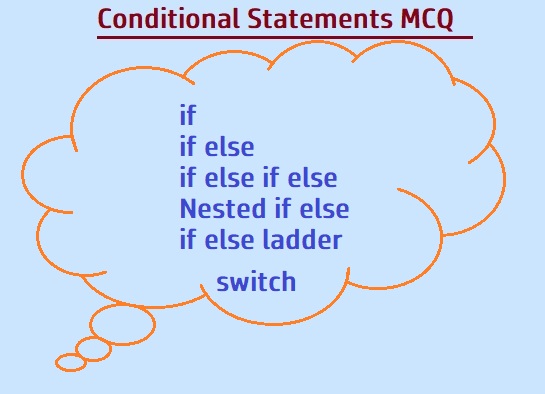
- How if, if-else, and if-else ladder work in C
- Syntax rules for each conditional statement
- How nested if-else allows multi-level decisions
- Switch case and the role of the break statement
- What happens when no case matches (default case)
- How to read short C programs and predict their output
This page has 22 multiple choice questions on conditional statements in C. You'll find questions on if, if-else, if-else ladder, nested if-else, switch case, and the break keyword, plus a set of small code-output questions that test your reading skills. Each question comes with the correct answer and a short explanation in plain English, so you understand why an option is right and not just what it is. These MCQs are useful for beginners preparing for college exams, interviews, or any C programming test.
Basics of Conditional Statements
Q1. What is the purpose of conditional statements in C programming?
Answer: C) To make decisions based on certain conditions
Conditional statements let your program choose different paths depending on whether a condition is true or false. For example, you can print "Pass" if marks are 40 or more, and "Fail" otherwise. Loops like for and while handle repeated execution, which is a different job.
Q2. Which keyword is used to define a conditional statement in C?
Answer: B) if
The if statement is the fundamental building block of decision making in C. It evaluates a condition: if the result is non-zero (true), the block runs; if zero (false), the block is skipped. while and for are loops, and switch is a multi-way selector — but if is the primary conditional keyword.
if and if-else Statements
Q3. Which one is the syntax of an if statement along with its body in C?
Answer: B) if (condition) { }
The condition must be inside parentheses, and the body of the if statement is enclosed in curly braces. Option A is missing the body, C is missing the parentheses, and D is missing the condition entirely. The braces keep your code readable and prevent unexpected behaviour when there are multiple statements.
Q4. Which is the syntax of an if-else statement in C?
Answer: D) if (condition) { } else { }
An if-else statement has two branches: the if branch runs when the condition is true, and the else branch runs when the condition is false. The condition must be in parentheses, and each branch's body is wrapped in curly braces. This lets your program handle both the "yes" and "no" cases cleanly.
if-else Ladder
Q5. Which statement is used to check multiple conditions in C?
Answer: D) if-else ladder
An if-else ladder is used when you have several conditions to test one after another. Each else if is checked in order. As soon as one condition matches, its body runs and the rest are skipped. It's a clean way to handle things like grade calculation (A/B/C/D/Fail) based on marks.
Q6. Which one is the correct syntax for an if-else ladder in C?
Answer: D) if (condition) { } else if (condition) { } else { }
C uses "else if" with a space, not "elseif" as in PHP or "elif" as in Python. The final else is optional and acts as a catch-all when none of the earlier conditions match. This structure can be chained as deep as you need.
Nested if-else
Q7. Identify the true statement about nested if-else statements.
Answer: D) They can have multiple levels of nesting
A nested if-else is an if-else placed inside another if or else block. C allows this to any depth, which is useful when decisions depend on more than one condition. For example, first check if a student passed, and inside that, check whether their grade is A, B, or C. Deep nesting can hurt readability, so it's best to keep it to 2–3 levels.
Switch Case & break
Q8. Which statement handles multiple conditions on a single variable in C?
Answer: B) switch case
Switch case is designed for comparing one variable against a set of constant values. It's cleaner than an if-else ladder when you have many fixed options, like menu choices (1 = Add, 2 = Delete, 3 = Exit). Note that switch works only with integer or char values in C, not float or string.
Q9. Identify the correct syntax for a switch case statement in C.
Answer: C) switch (expression) { }
The switch keyword is followed by an expression in parentheses, and the body (containing case labels) is enclosed in curly braces. Inside the braces, you write case values and an optional default. Unlike if, the switch expression must be an integer type (int, char, enum).
Q10. Which one is true about the break statement in a switch case?
Answer: C) To exit the switch case statement
Inside a switch, break tells the program to leave the switch block immediately. Without it, execution falls through to the next case automatically — this is called fall-through. Inside loops, break also works, but in the switch-case context its purpose is to stop the switch from continuing to the next case.
Q11. What if no corresponding or matching case is available in a switch case statement?
Answer: A) The default case is executed
The default case is the fallback. If no case label matches the switch expression, the default block runs. If you don't write a default and nothing matches, the switch simply does nothing and control passes to the next statement after the switch block. This is safe, but adding a default is good practice for clarity.
Program Output Questions
Q12. Read the following program and find the output.
int p = 15;
if (p > 3)
{
    printf("p is greater than 3\n");
}
else
{
    printf("p is not greater than 3\n");
}
Answer: A) p is greater than 3
The value of p is 15, which is greater than 3. So the if condition (p > 3) is true, and the if block runs. It prints "p is greater than 3". The else block is skipped because the condition was already satisfied.
Q13. What is the output of the following code?
int p = 15, q = 13;
if (p > q)
{
    printf("p is greater than q\n");
}
else
{
    printf("p is not greater than q\n");
}
Answer: A) p is greater than q
Here p is 15 and q is 13. Since 15 is greater than 13, the if condition (p > q) is true, and the if block runs. It prints "p is greater than q". The else block is not executed.
Q14. What is the output of the following code?
int p = 15, q = 18;
if (p > q)
{
    printf("%d is greater than %d\n", p, q);
}
else
{
    printf("%d is not greater than %d\n", p, q);
}
Answer: B) 15 is not greater than 18
Here p is 15 and q is 18. Since 15 is not greater than 18, the if condition is false, so the else block runs. The printf inside the else substitutes the actual values of p and q, printing "15 is not greater than 18".
Q15. What is the output of the following code?
int x = 15, y = 18;
if (x < y)
{
    printf("%d is less than %d\n", x, y);
}
Answer: A) 15 is less than 18
Here x is 15 and y is 18, and 15 is less than 18. So the if condition is true and its body runs. Since there is no else, the code prints "15 is less than 18" and then ends.
Q16. What is the correct output of the following program code?
int x = 50, y = 80;
if (x > y)
{
    printf("value of x is greater than value of y\n");
}
else if (x < y)
{
    printf("value of x is less than the value of y\n");
}
Answer: B) value of x is less than the value of y
Here x is 50 and y is 80. The first condition (x > y) is false, so it moves to the else if. Since x < y is true (50 < 80), the else if branch runs and prints "value of x is less than the value of y".
Q17. Find the output of the following code.
int p = 56, q = 56;
if (p > q)
{
    printf("p is greater than q\n");
}
else if (p < q)
{
    printf("p is less than q\n");
}
else
{
    printf("p is equal to q\n");
}
Answer: C) p is equal to q
Here p and q are both 56. The first check (p > q) is false because 56 is not greater than 56. The second check (p < q) is also false. So the final else runs, printing "p is equal to q". This is why the final else in a ladder is important — it catches the case where nothing above matched.
Q18. What is the output of the following code?
int p = 15;
switch (p)
{
    case 1:
        printf("One is One !\n");
        break;
    case 5:
        printf("Five is Five !\n");
        break;
    case 2:
        printf("Two !\n");
        break;
    default:
        printf("I am Default\n");
        break;
}
Answer: C) I am Default
The value of p is 15, which doesn't match any of the case labels (1, 5, or 2). Since no case matches, the default block runs, printing "I am Default". This is exactly why default is useful — it handles unexpected values.
Q19. Which option is the correct output of the following code?
int x = 1;
switch (x)
{
    case 1:
        printf("I am Number One\n");
    case 2:
        printf("I am Number Two\n");
        break;
    default:
        printf("I am Default\n");
        break;
}
Answer: B) I am Number One followed by I am Number Two
Because there is no break after case 1, the execution "falls through" to case 2 automatically. So both "I am Number One" and "I am Number Two" print. The break after case 2 stops the fall-through at that point. This is a classic fall-through trap that appears in almost every C exam.
Q21. What is the output of the following program?
int p = 11;
switch (p)
{
    case 11:
        printf("Eleven\n");
    case 22:
        printf("Twenty Two\n");
    case 33:
        printf("Thirty Three\n");
        break;
    default:
        printf("Default\n");
        break;
}
Answer: C) Eleven, then Twenty Two, then Thirty Three
The switch enters case 11 because p = 11. But there is no break after case 11 or case 22, so execution keeps falling through. All three printf statements run, in order, until the break after case 33 stops the fall-through. So the output is "Eleven", then "Twenty Two", then "Thirty Three".
Q22. What is the output of the following code?
int x = 33;
switch (x)
{
    case 11:
        printf("Eleven\n");
        break;
    case 12:
        printf("Twelve\n");
        break;
}
Answer: C) No output
Here x is 33, and the only cases are 11 and 12. Since neither matches and there is no default case, the switch does nothing. The program doesn't crash and doesn't print anything — it just moves on. Adding a default case would have given some output instead of silence.
Frequently Asked Questions
What is the difference between if-else and switch case in C?
if-else works with any kind of condition — ranges, comparisons, complex expressions. switch case works only on integer or char values matched against constant case labels. Use if-else for complex logic and switch case for checking one variable against many fixed values, like a menu system.
Why is break important inside a switch case?
Without break, execution falls through to the next case automatically. This is called fall-through. It can be intentional in rare cases (like grouping cases that should share code), but usually it's a bug. Add break after each case to make sure only one branch runs.
Can a switch case work with float or string values in C?
No. In C, switch works only with integer types (int, char, enum). It does not accept float, double, or strings as the switch expression or case label. If you need to compare strings, use if-else with strcmp() from string.h.
What happens if the else block is missing in an if statement?
The else block is optional. If it's omitted and the condition is false, the if block is simply skipped and execution continues after the if statement. No error is thrown. You only need else when you have a separate action for the false case.
How many else if branches can an if-else ladder have?
There is no fixed limit. You can chain as many else if branches as your logic requires. However, if you have many branches testing the same variable against fixed values, switch case is usually cleaner and faster.
💡 Tip: Try to answer all 22 questions before checking the answers. Pay extra attention to the switch case questions — fall-through (missing break) is the number one mistake tested in C exams.